
💼 Microsoft Copilot Review (2026)
Introduction
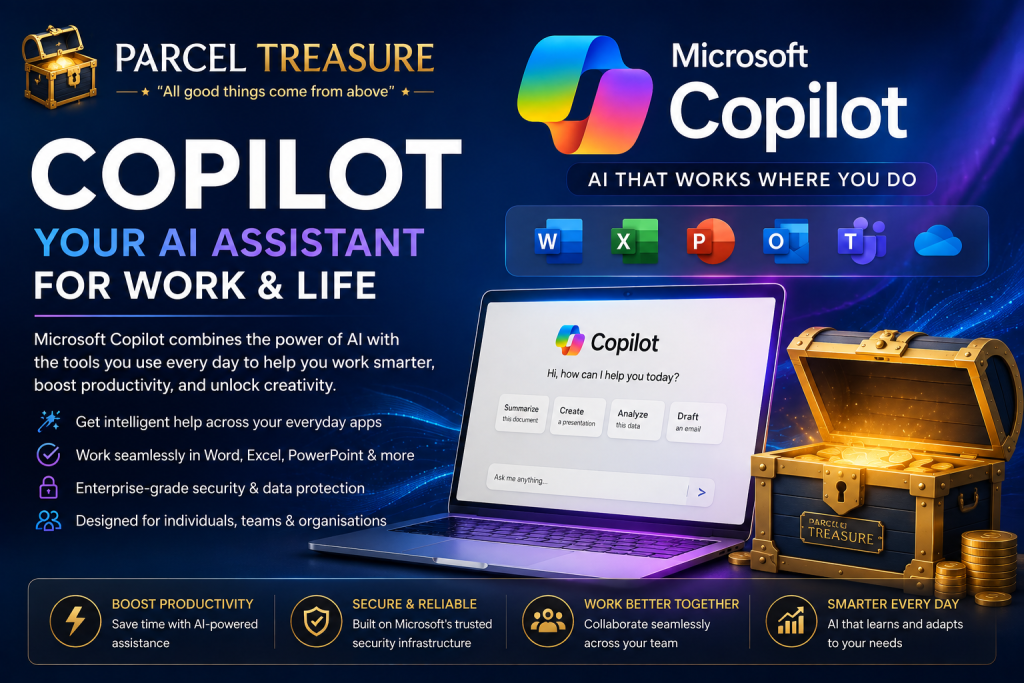
Microsoft Copilot combines artificial intelligence with the productivity tools millions of people already use every day. Integrated into Windows, Microsoft 365, Edge, and other Microsoft services, Copilot helps users write documents, analyze data, generate presentations, summarize information, and improve productivity.
In this comprehensive Parcel Treasure review, we’ll explore Copilot’s features, pricing, strengths, weaknesses, and overall performance. Whether you’re a student, business professional, or everyday Windows user, this guide will help you determine if Microsoft Copilot is worth using.
💼 Parcel Treasure Scorecard – Microsoft Copilot (2026)
| Category | Score |
|---|---|
| ⭐ Ease of Use | 9/10 |
| 🚀 Features | 9/10 |
| 💰 Value for Money | 8/10 |
| ⚡ Performance | 9/10 |
| 🎨 Productivity | 10/10 |
| 🔒 Security | 10/10 |
| 💼 Business Use | 10/10 |
| 📱 Mobile Experience | 8/10 |
| 🛠 Microsoft Integration | 10/10 |
| ❤️ Overall Recommendation | 9/10 |
Parcel Treasure Score
⭐ 91/100
Gold Award 🥇
Verdict: The best AI assistant for Microsoft 365 users.
📌 Quick Summary
Microsoft Copilot brings AI directly into Windows and Microsoft 365, helping users create documents, analyze spreadsheets, summarize emails, and improve workplace productivity. It’s an excellent choice for professionals and organizations already using Microsoft’s ecosystem and looking to automate everyday tasks.
⭐ Parcel Treasure Tip
Copilot is most valuable inside Microsoft 365. If you work with Word, Excel, PowerPoint, Outlook, or Teams every day, Copilot can automate repetitive tasks and help you work more efficiently.
🚀 Key Features
📄 Microsoft Word Integration
Draft, edit, summarize, and improve documents.
📊 Excel Data Analysis
Analyze spreadsheets, identify trends, and generate formulas.
📧 Outlook Email Assistance
Compose emails, summarize conversations, and organize communication.
📽️ PowerPoint Creation
Generate presentations from prompts or existing documents.
👥 Microsoft Teams Support
Summarize meetings and highlight action items.
🪟 Windows Integration
Provides AI assistance directly within Windows.
🔒 Enterprise Security
Built with Microsoft security and compliance standards.
⚡ Performance & Real-World Experience
Microsoft Copilot integrates seamlessly into Microsoft 365 applications, making everyday office tasks significantly more efficient. Creating documents, analyzing Excel data, preparing presentations, and managing emails become faster with AI assistance built directly into familiar tools.
For users already working in the Microsoft ecosystem, Copilot feels like a natural extension of their workflow. Businesses using Microsoft 365 will likely benefit the most from its productivity-focused features.
👥 Best For
Microsoft Copilot is built for productivity within the Microsoft ecosystem.
It is ideal for:
- 💼 Microsoft 365 users
- 📊 Excel power users
- 📄 Word users
- 📽️ PowerPoint creators
- 📧 Outlook users
- 👥 Teams collaboration
- 🏢 Businesses and corporate environments
If your work revolves around Microsoft applications, Copilot can significantly improve efficiency.
💎 Parcel Treasure Insight
Microsoft Copilot isn’t just another chatbot—it’s an AI productivity companion built into tools millions of people already use. For businesses and professionals invested in Microsoft 365, Copilot can reduce repetitive work and improve efficiency without requiring users to learn an entirely new platform.
💰 Pricing
Microsoft Copilot is offered through several subscription options depending on whether you’re an individual, business, or enterprise customer.
🆓 Free Version
A basic version is available with limited AI capabilities for general productivity tasks.
⭐ Copilot Pro
Copilot Pro unlocks advanced AI features, priority access, and deeper integration with Microsoft applications.
🏢 Microsoft 365 Business & Enterprise
Businesses can access enterprise-grade AI features integrated across Word, Excel, Outlook, PowerPoint, and Teams through eligible Microsoft 365 plans.
Parcel Treasure Verdict: Copilot delivers the best value for users already working within the Microsoft ecosystem.
💡 Parcel Treasure Recommendation:
Start with the free plan whenever available. Upgrade only when the additional features, higher usage limits, or premium capabilities will genuinely improve your productivity or support your workflow.
| Plan | Best For | Key Features |
|---|---|---|
| 🆓 Free | Basic productivity | AI chat, limited Microsoft integration |
| ⭐ Copilot Pro | Individual professionals | Advanced AI, Microsoft 365 integration, premium features |
| 🏢 Microsoft 365 Business | Companies | AI across Word, Excel, Outlook, Teams, PowerPoint with enterprise management |
💎 Parcel Treasure Recommendation
Recommended for: ⭐⭐⭐⭐☆
Microsoft Copilot delivers the greatest value to users already working within Microsoft 365. Its deep integration with Word, Excel, Outlook, Teams, and PowerPoint makes it a practical productivity tool for professionals and businesses.
Our Verdict: Highly Recommended for Microsoft users.
At Parcel Treasure, our recommendations are based on hands-on evaluation, real-world usability, value for money, feature quality, and long-term reliability. Our goal is to help you choose the AI tool that best fits your needs with confidence.
| Feature | Copilot | ChatGPT | Gemini | Claude |
|---|---|---|---|---|
| Microsoft Integration | ⭐⭐⭐⭐⭐ | ⭐⭐☆☆☆ | ⭐⭐☆☆☆ | ⭐⭐☆☆☆ |
| Productivity | ⭐⭐⭐⭐⭐ | ⭐⭐⭐⭐⭐ | ⭐⭐⭐⭐⭐ | ⭐⭐⭐⭐☆ |
| Office Documents | ⭐⭐⭐⭐⭐ | ⭐⭐⭐⭐☆ | ⭐⭐⭐⭐☆ | ⭐⭐⭐⭐☆ |
| Business Use | ⭐⭐⭐⭐⭐ | ⭐⭐⭐⭐⭐ | ⭐⭐⭐⭐☆ | ⭐⭐⭐⭐☆ |
| Ease of Use | ⭐⭐⭐⭐☆ | ⭐⭐⭐⭐⭐ | ⭐⭐⭐⭐☆ | ⭐⭐⭐⭐⭐ |
🏆 Best Choice For
- Best Overall: ChatGPT
- Best Writing: Claude
- Best Google Integration: Gemini
- Best Microsoft Productivity: Copilot
- Best Research: Perplexity
- Best AI Image Generation: Midjourney
❓ Frequently Asked Questions
Is Microsoft Copilot free?
Microsoft offers free and paid Copilot experiences, depending on the product and subscription you use.
Does Copilot work inside Microsoft Office?
Yes. Copilot integrates with applications such as Word, Excel, PowerPoint, Outlook, and Teams on supported plans.
Can Copilot analyze Excel spreadsheets?
Yes. It can help analyze data, create formulas, identify trends, and summarize information.
Is Copilot suitable for businesses?
Yes. It is especially valuable for organizations already using Microsoft 365.
Who benefits most from Copilot?
Business professionals, Microsoft 365 users, and corporate teams.
Still have questions? Explore our other Parcel Treasure AI Reviews or visit the AI Tool Pricing Guide (2026) to compare features, pricing, and recommendations before choosing the right AI tool for your needs.
🏁 Final Verdict
Microsoft Copilot is the strongest AI productivity tool for Microsoft 365 users. By integrating directly into Word, Excel, Outlook, PowerPoint, Teams, and Windows, it enhances workflows without forcing users to adopt a completely new platform.
For businesses and professionals already invested in Microsoft’s ecosystem, Copilot can deliver meaningful time savings and productivity gains.
Parcel Treasure Rating: ⭐⭐⭐⭐☆ 91/100 – Gold Award
At Parcel Treasure, our verdicts are based on real-world testing, usability, feature quality, value for money, and long-term reliability. Our mission is to help you choose the AI tool that truly fits your needs with confidence.